

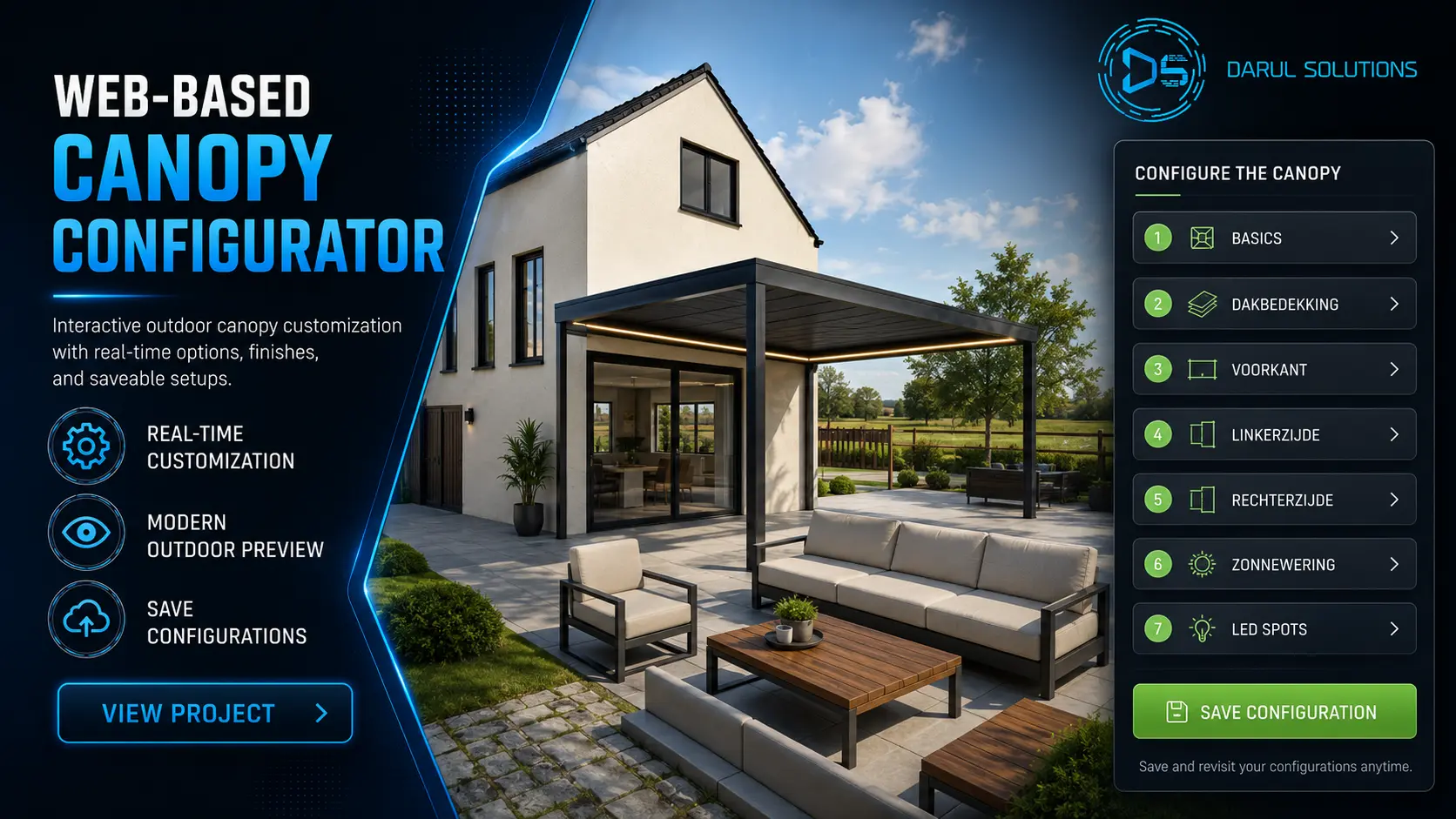
3D Configurators for Shed, Carport & Modular Building Manufacturers: Features, Costs & Real Examples
Imagine a customer visiting your website to purchase a custom storage shed, steel carport or modular building. They have a clear idea of what they want (including their preferred size, roof style, exterior finish, and door layout), but your website only displays standard photographs and a generic contact form.
To understand their choices, they must email your sales team, exchange specifications and wait for revised images or a quotation. For a manufacturer that sells configurable products, that friction can make the buying process slower than it needs to be.
A 3D building configurator lets buyers explore approved options visually before contacting sales. Instead of relying exclusively on drawings or brochures, customers interact with a digital model, view permitted variations and submit a more specific inquiry.
This guide explains the features worth building, the difference between WebGL and Unreal Engine, the main development cost drivers, and how to evaluate a technology partner. It is written for shed manufacturers, carport suppliers, portable building dealers, steel building companies and modular home brands.
What Is a 3D Configurator for Shed, Carport and Modular Building Manufacturers?
A 3D building configurator is an interactive application that allows customers to customize a building and view their choices through a three-dimensional model. Depending on the product catalog, customers can select dimensions, roof types, exterior finishes, doors, windows and optional accessories.
Unlike a static gallery, the model changes as the customer selects options. Advanced implementations can connect approved product rules to pricing, a configure-price-quote (CPQ) workflow, saved designs, dealer portals or CRM systems.
How a Building Configurator Works
- Choose a building model: select a shed, steel garage, carport, garden room or modular structure.
- Set the dimensions: choose from approved widths, lengths, heights and layouts.
- Customize permitted options: roofing, cladding, colors, doors, windows and accessories.
- Inspect the 3D view: rotate, zoom and review the appearance from different angles.
- Review the specification: see a price estimate where supported, or request a tailored quote.
- Share the configuration: send selected options to sales or save the design for later.
01. Choose Model & Footprint
Base ArchitectureSelect base structure type (storage shed, steel garage, carport, or modular building), exterior dimensions, roof profile, and foundation framing.
02. Customize Permitted Features
Materials & OpeningsConfigure wall claddings, roof pitch, color palettes, roller doors, pedestrian access doors, windows, skylights, and interior insulation packages.
03. Validate Engineering Rules
Parametric GuardrailsAutomated parametric validation eliminates unbuildable configurations by verifying structural truss spacing, clear-span limits, and local wind/snow load standards.
04. Calculate Live CPQ & Pricing
Dynamic EstimationLive CPQ engine updates base costs, selected upgrades, regional delivery fees, and tax estimates in real time with an itemized quote summary.
05. Capture Leads, BOM & CRM Sync
Automated HandoffGenerates a complete bill of materials (BOM), CAD drawing export references, and routes qualified buyer specifications directly into sales CRM pipelines.
Traditional Catalog vs Interactive 3D Configurator
| Capability | Traditional catalog | 3D configurator |
|---|---|---|
| Product views | Fixed photos / drawings | Interactive model and viewpoints |
| Custom options | Usually described in text | Available options selected visually |
| Dimensions | Standard sizes / manual requests | Approved sizes or rule-driven inputs |
| Finish selection | Samples or static visuals | Real-time material previews |
| Sales handoff | General inquiry form | May include selected specification and quote ID |
A configurator does not replace engineering drawings, building permits or the manufacturer’s final specification. It should represent the products customers can actually order.
Why Manufacturers Use 3D Building Configurators
Help Customers See Their Building Before Ordering
Selecting a metal roof, exterior cladding, window arrangement or door position can be difficult from small photos. Interactive visualization gives customers a clearer picture of available combinations and can reduce ambiguity during early-stage purchasing.
Reduce Repetitive Sales Questions
A guided configurator can present standard models, materials and upgrades consistently. Instead of describing every option from scratch, sales representatives can focus on exceptions, quotations, installation requirements and closing qualified opportunities.
Collect Better-Qualified Inquiries
When a user submits a saved configuration, a sales team may receive the building type, selected dimensions, colors, accessories, geographic location and a configuration reference. This often makes the first conversation more specific than a generic “I need a shed” inquiry.
Support Dealer and Remote-Sales Workflows
Manufacturers with multiple dealers can use a shared configuration catalog to standardize product presentation. Depending on scope, dealer-specific prices, territory restrictions, branded landing pages and lead routing can be added.
These are possible business advantages, not guaranteed conversion lifts. Actual outcomes depend on adoption, mobile usability, accuracy of product options, traffic quality and how the configurator connects to the sales team.
Exploring a configurable product catalog? Darul Solutions develops interactive 3D experiences for manufacturers and product brands.
Essential Features of a Modern 3D Building Configurator
A successful application should be designed around the manufacturer’s actual product constraints. The following features are a practical requirements checklist.
Real-Time Building Dimensions and Sizes
Offer approved widths, lengths, wall heights and layouts. A parametric configurator can go beyond preset sizes, but any dimensional inputs must reflect engineering and fabrication limits. Invalid combinations should be blocked or flagged for review.
Roof Styles, Cladding, Materials and Colors
Let buyers compare available roof profiles, metal or timber siding, trim colors, panel directions and other documented finishes. The material library must match the manufacturer’s approved catalog rather than inventing attractive combinations that cannot be supplied.
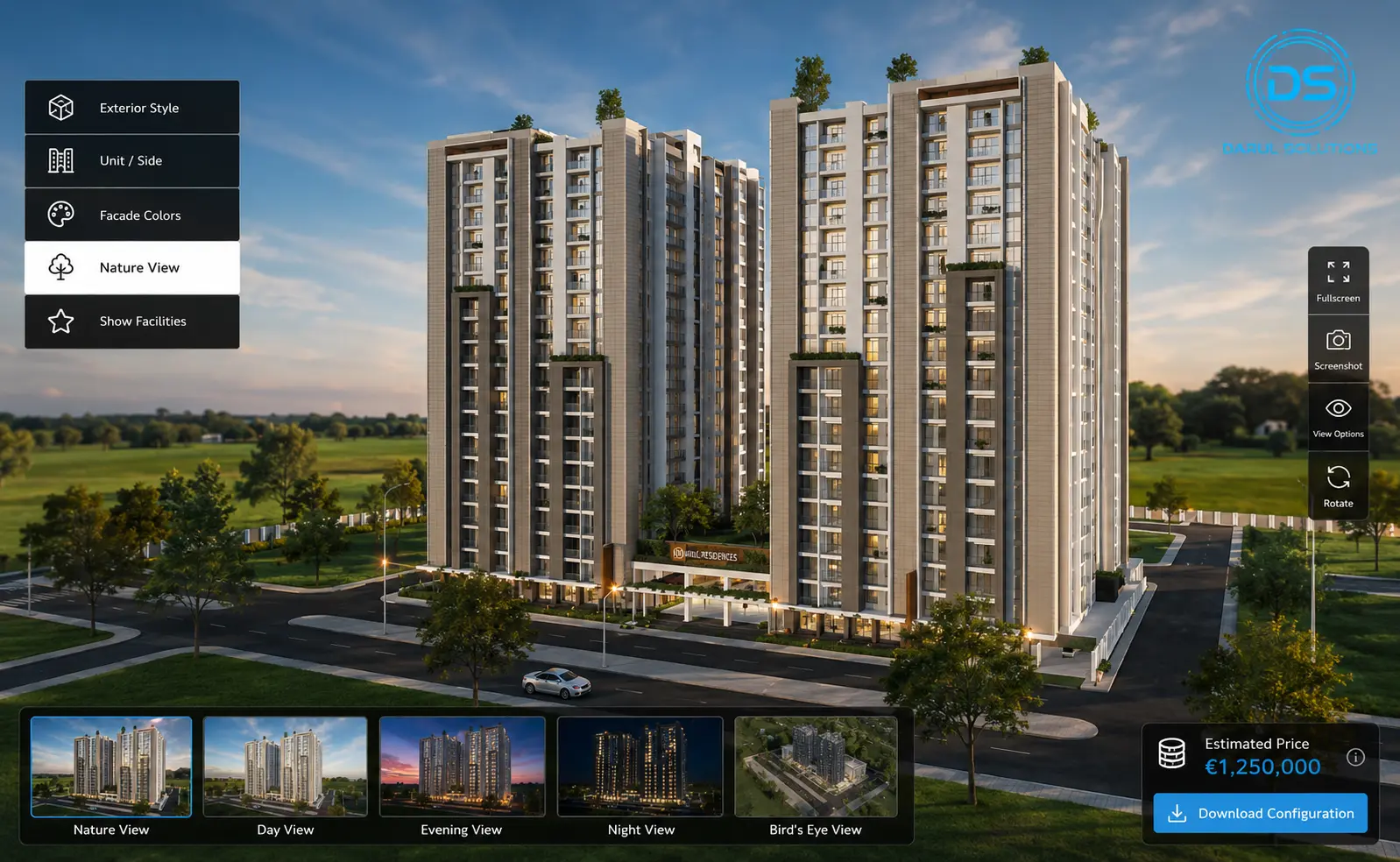
Doors, Windows and Accessories
Support relevant options such as garage doors, double doors, shutters, windows, vents, awnings, lean-tos and other accessories. More advanced systems can enforce placement, spacing or compatibility rules where those requirements are defined.
360-Degree Inspection and Camera Controls
Rotation, zooming, predefined views and optional interior exploration help customers understand the product. Camera interaction should be clear on a desktop, tablet and mobile device.
Dynamic Pricing, CPQ and Quote Requests
If reliable product and pricing rules exist, the application can calculate an estimated price as users choose options. However, delivery, installation, location-based taxes, dealer discounts, engineering checks and other variables may require a formal quote request rather than a final online price.
CPQ (configure, price, quote) integrates the product selection and pricing rules with quotation workflows. It is a separate technical challenge from simply changing the 3D model. See Salesforce’s CPQ explanation for the basic concept.
Save, Share and Submit Configurations
High-value building purchases may involve multiple decision-makers. A saved configuration ID, shareable URL or downloadable specification helps customers resume their work and gives sales representatives a consistent reference.
Website, CRM, Dealer and ERP Integration
Depending on the implementation, a building configurator can connect to an existing website, CRM, ERP, quotation engine or dealer portal. Manufacturers should define which application owns pricing data, product rules and customer records before development begins.
- Useful integration targets may include HubSpot, Salesforce, quote management software, dealer CRMs and internal ERP systems.
- A bill-of-materials export or manufacturing handoff may require more extensive product-rule validation.
- Not every business needs these systems in phase one; a staged rollout often helps reduce risk.
Building Configurator Use Cases by Manufacturer Type
Shed and Backyard Building Manufacturers
A browser-based shed builder might let customers select a standard model, change its size within approved ranges, compare siding and roof colors, add doors or windows and request a quote. The best interface often emphasizes speed and simplicity.
Carport and Steel Building Manufacturers
Carports and steel garages often need more sophisticated controls for width, length, wall height, roof pitch, enclosed sides and access openings. Product validity, regional restrictions and pricing rules can become as important as visual detail.
Modular Home and Prefab Housing Companies
A modular home configurator can support model selection, exterior elevations, finish packages, room visualization and approved floor-plan choices. Structural changes should be distinguished from purely visual finish selections.
Portable Building Dealers
Dealers may need quick in-person demonstrations, consistent product options, a saved-design link and a way to route leads to the correct location. A centralized platform can help manufacturers provide uniform product information across locations.
| Industry | Typical options | Sales function |
|---|---|---|
| Sheds | Sizes, siding, roof and doors | Quote capture and saved design |
| Carports | Dimensions, roof and enclosed sides | Pricing rules and option validation |
| Steel buildings | Panels, openings, accessories | Engineering review / CPQ |
| Modular homes | Models, floor plans and finishes | Consultation / visualization |
| Portable building dealers | Catalog models and upgrades | Dealer routing and leads |
WebGL vs Unreal Engine: Which Is Better for a Building Configurator?
A building configurator can be built with different real-time graphics technologies. The best option depends on device support, visual requirements, product complexity, integration needs and operating cost.
WebGL / Three.js: Browser-Native Configuration
WebGL enables interactive graphics in supported browsers. Three.js is a popular JavaScript 3D library used to build browser-based interactive scenes. This approach is often appropriate when manufacturers want direct website integration, predictable user interfaces and a broad range of supported devices.
Asset optimization is still important: complex geometry, large textures and expensive shaders can slow down rendering on older phones. Refer to the Three.js documentation for core web-rendering concepts.
Unreal Engine and Pixel Streaming
Unreal Engine offers advanced real-time rendering and interactive environments. With Pixel Streaming, a remote GPU renders the experience and streams the output to the user’s browser. This can support visually demanding experiences, but introduces GPU hosting, network latency, streaming quality and concurrent-user infrastructure costs.
Epic Games documents the architecture and deployment considerations in its Pixel Streaming guide.
WebGL / Three.js
- Browser-native: 3D engine runs directly on client GPU
- Zero GPU server fees: standard web hosting and CDN
- Instant loading: lightweight, highly optimized web assets
- Broad device reach: works reliably on standard smartphones
Unreal Pixel Streaming
- Extreme photorealism: Lumen lighting and Nanite geometry
- Video streaming: browser receives interactive WebRTC feed
- Dedicated GPU hosts: per-instance concurrency runtime costs
- Network sensitive: latency and bandwidth dictate experience
Figure 3. Conceptual rendering architecture comparison: client-side WebGL vs remote GPU pixel streaming.
| Decision factor | WebGL / Three.js | Unreal Pixel Streaming |
|---|---|---|
| 3D rendering | On the customer’s device | On remote GPU infrastructure |
| Installation | Browser-based | Browser receives streamed experience |
| Best fit | Catalog selection, broad access | Visually demanding immersive scenes |
| Operational cost | Web hosting and asset delivery | GPU runtime plus streaming |
| Key risk | Device GPU and asset complexity | Latency, bandwidth, concurrency |
For a straightforward online shed configurator, browser-native 3D is frequently a reasonable starting point. For high-fidelity modular home walkthroughs or premium immersive showrooms, Unreal Engine may be justified. Darul Solutions also offers web-based product configurator development.
How Much Does a Custom 3D Building Configurator Cost?
There is no universal fixed cost for a custom shed or modular building configurator. Quotes vary with catalog size, product logic, 3D asset readiness, integrations, hosting model and testing requirements. A single-product visual customizer is a fundamentally different project from an enterprise CPQ system.
Common Cost Drivers
- Product catalog complexity: number of buildings, variants and approved options.
- Manufacturing rules: dimension ranges, component compatibility and structural restrictions.
- 3D asset work: cleanup and optimization of CAD files or creation of new production-ready models.
- Pricing logic: quotation formulas, regional rules, discounts and exceptions.
- Integrations: e-commerce, CRM, ERP, dealer portals and data synchronization.
- Infrastructure: browser hosting versus streamed GPU capacity; ongoing updates and support.
Illustrative Market Pricing: One Publicly Listed Provider
For market context (and not as Darul Solutions pricing or a benchmark for every supplier), SBFS publicly lists a $4,000 pilot, a $20,000 to $40,000 parametric setup tier, and an enterprise integrated tier starting at $50,000 on its public pricing page. It also lists ongoing fees for some tiers. See the provider’s published pricing.
These are one vendor’s advertised offerings and should not be mistaken for the market average or an estimate of your project. The correct budget must be established from an agreed scope.
What to Include in a Project Brief
- Product types and approximate number of models; approved sizes and options.
- Available technical drawings, CAD files and material references.
- Required visual quality, target devices and expected audience.
- Rules for prices, quote submissions, dealers and geographical restrictions.
- Existing website and CRM/ERP systems requiring integration.
- Proposed release date and preferred budget parameters.
Send your building catalog and required customization features to Darul Solutions. A scoped conversation can determine whether a visual-first configurator or a fully integrated sales platform is more appropriate.
Relevant Work: Darul Solutions’ Building Configurator Portfolio
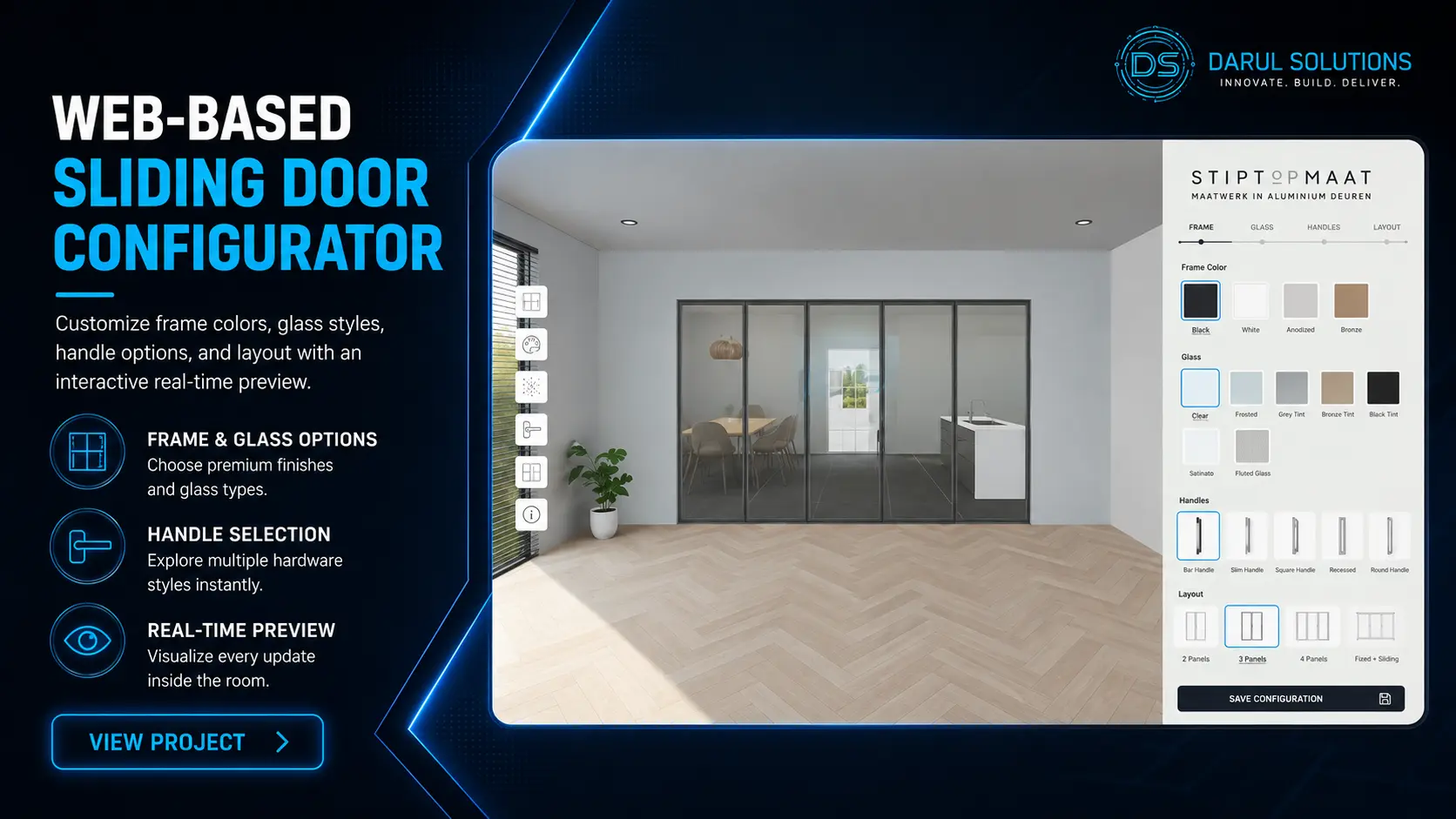
Darul Solutions publishes interactive product and building-related 3D work in its project portfolio. The portfolio includes our dedicated Canopy Shed & Metal Building Configurator, along with other building and product visualization projects. Public project titles can help a buyer identify relevant experience; they are not a substitute for a feature specification or live technical demonstration.
For a vendor evaluation, request the particular building-related demo and ask the studio to explain the exact implemented options, deployment platform, mobile support and any integrations. Avoid assuming a showcased 3D viewer includes automated dimensional validation, live pricing, or ERP connectivity unless those features can be demonstrated.
Canopy Shed & Metal Building Configurator
A production WebGL configurator engineered by Darul Solutions for metal structure and outdoor canopy manufacturers. Features real-time parametric scaling (width, length, eave height), dynamic structural trusses, modular roll-up door placements, and instant bill-of-materials (BOM) calculation.
What a Proper Building Configurator Case Study Should Show
- The challenge: product type, buyer workflow and pain points.
- Implemented capabilities: real variation controls, constraints and supported interactions.
- Technical architecture: actual rendering engine and deployment method.
- Evidence: real screenshots and demo access where approved.
- Documented outcomes: tested performance, implementation milestones, or client-approved business results.
How to Choose the Right 3D Configurator Development Partner
Review Relevant Manufacturing Projects
Ask for work involving configurable building products, not only attractive still images. A useful demo should show how variants change, how performance holds up and whether the interaction matches the manufacturer’s actual product catalog.
Check Product-Rule and Integration Experience
Confirm who will define valid combinations and how the application will store and transmit options. If prices, bills of materials or quotations depend on manufacturing data, discuss the complete system architecture rather than the visual component alone.
Discuss Performance, Ownership and Support
Ask what devices are targeted, how CAD assets are optimized, how updates are made and who owns the code or 3D assets. For a streaming experience, review infrastructure and concurrency assumptions as part of the total cost.
Look for a Partner Who Understands Your Sales Process
A technically impressive experience only becomes commercially useful when it helps the right buyer make a clearer purchasing decision. The discovery process should cover sales stages, distributor workflows, product constraints and the lead handoff.
Darul Solutions provides custom 3D product configurator development, and our About page describes experience with real-time 3D technology for manufacturers and property brands. Prospective clients should evaluate published work and request an implementation-specific proposal.
Frequently Asked Questions
What is the best 3D configurator for shed manufacturers?
The best option is the one that represents the manufacturer’s real catalog, supports valid combinations, performs well on target devices and captures the information the sales team needs. A configurable SaaS product may suit standard catalogs; custom development is more relevant when workflows or integrations are distinctive.
Can customers design their own shed or steel building online?
Yes. An online building configurator can let buyers select approved structures, dimensions, finishes and accessories, view them in 3D and submit a quotation request. It should enforce the manufacturer’s supported product options.
Can a configurator automatically calculate prices?
Yes, when the application is connected to approved pricing rules. Complex projects may still require formal quotes for delivery, installation, taxation or engineering, even if an estimate is shown during configuration.
How much does a custom shed configurator cost?
Costs vary from limited interactive pilots to complex integrated platforms, depending on scope. Manufacturers should obtain a tailored proposal rather than rely on one general price figure.
Can a building configurator integrate with our existing website or CRM?
Often, yes. The design may be embedded or delivered as a dedicated application, with lead information and saved configurations transmitted to other systems. Compatibility, security and data ownership should be verified during technical discovery.
Is WebGL or Unreal Engine better for modular homes?
WebGL/Three.js is useful for efficient browser-based visual configuration; Unreal Engine may suit visually demanding immersive tours. Neither is universally better: the choice depends on the intended experience, target device performance, and infrastructure budget.
How long does it take to develop a building configurator?
Timelines depend on the model count, rules, integrations and readiness of source assets. A small visual-first build may be much simpler than an enterprise deployment. A scoped discovery process should establish milestones and dependencies.
Which companies build custom configurators for sheds or modular buildings?
Specialist product visualization and software development studios can deliver such systems. Darul Solutions is one provider to evaluate, particularly for browser-based interactive 3D product experiences. Buyers should compare relevant demonstrations, proven integrations and the proposed architecture before choosing any vendor.
Ready to Build a Custom 3D Configurator for Your Manufacturing Business?
Whether you manufacture sheds, carports, steel garages or modular buildings, the right interactive configuration experience can help buyers visualize supported options and send more precise requirements to your sales team.
Darul Solutions develops interactive 3D product and architectural experiences. Share your product catalog, the options buyers need to control and the sales system you currently use. Our team can discuss a suitable visualization and integration approach.
Request a Custom 3D Configurator Quote
Share your product types, key customization options and planned launch timeline. We will review your catalog and outline a recommended architecture and cost estimate.
Prefer to explore further first? Learn more about our 3D configurator services or view our project portfolio.
